Disobey 20256 Badge
Important: Remember to be gentle to your badges – they are delicate flowers. No, really: the screen cannot take much punishment, so in some cases the badge can be damaged if handled carelessly. Don't drop them in beer, don't drop them from rooftops, and handle them with care (unless of course your special interests lie in repairing electronics).
Badges are finally here! These are the same badges which were supposed to arrive before the event in 2025. But that was a failure.
Event site: Disobey 2026.
Github repository: https://github.com/disobeyfi/disobey-badge-2025-game-firmware. Repo contains technical documentation, schema and 3D-model.
Table of contents
Badge
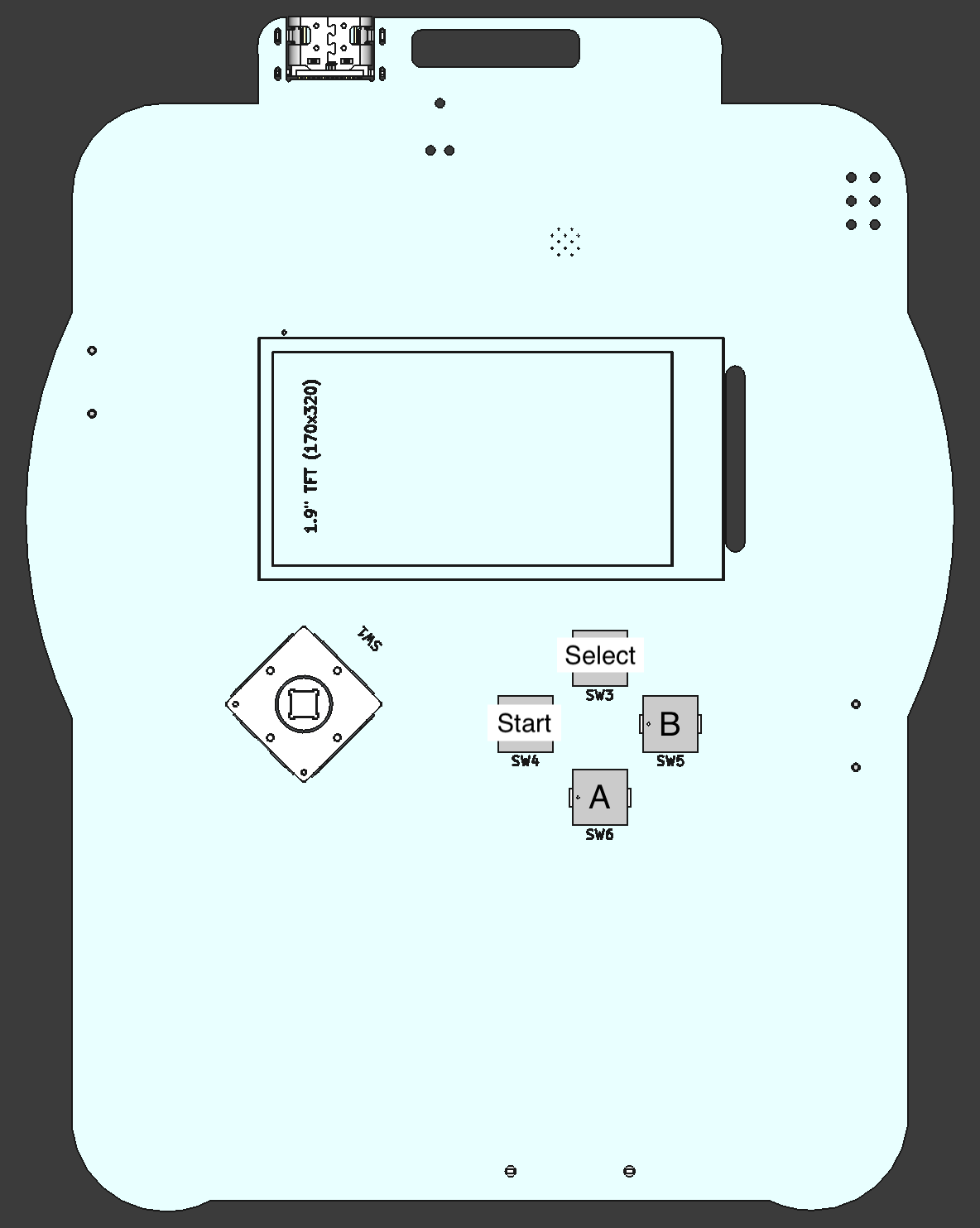
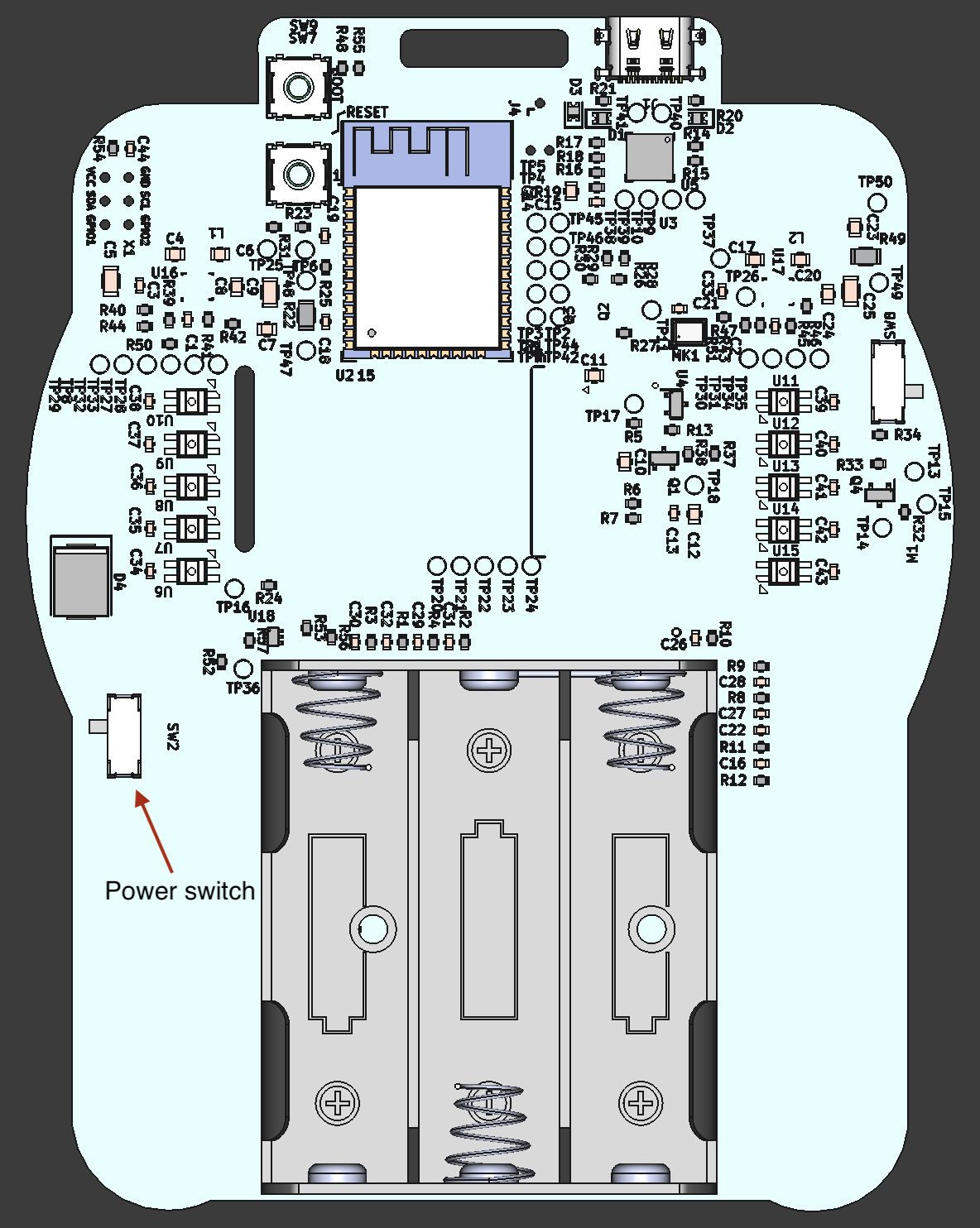
| Front | Back |
|---|---|
 |
 |
Powering badge
You can power badge with either three AA-battery or through USB-C(5v). You can select the mode with the switch (check the pic above).
First time usage
Badges come with pre-flashed firmware (we call it minimal) that includes two functions:
- Hardware test
- OTA update
When you turn the badge on for the first time, you will see following screen:
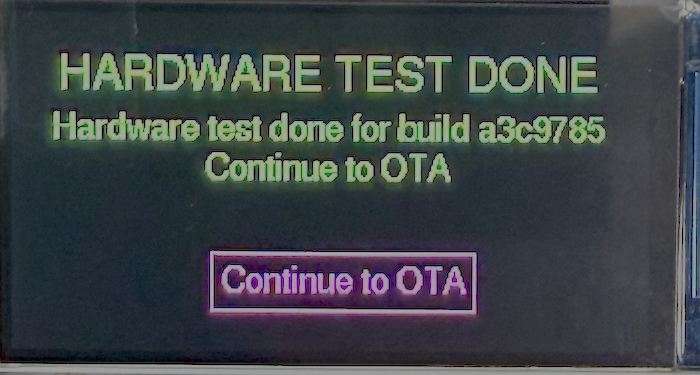
This means that we have tested that screen, LEDs and buttons work (or worked before we packaged them back to boxes).
In the event there will be Wifi for the badges and it’s preconfigured. So all you need to do is to proceed by pressing button A. This starts OTA process. It might take a while to complete for the download, so be patient! Wait until you see reboot message or error!. It also might take few tries in the event wifi to get it through. You can also use web-flash if OTA doesn’t work.
If you want to change Wifi-settings, check how to do it in here.
Connecting to computer
Make sure power is turn to USB. Plug badge with cable to computer and it’s should be visible as serial device.
Buttons
Badge has joystick for navigation and four push buttons: Start, Select, A and B.
Global bindings
| Key binding | Action |
|---|---|
| Double click Select | Open menu |
| Long press B | Go back |
Badge Competitions
Submissions
Deadline for submissions: Saturday Feb 14th at 19:00 (EET).
Send your submission emails to: badgeteam2026@disobey.fi
Please use this subject line format (example):
- Subject: Disobey 2026 Badge Competition - Hardware / Software - [name of the entry]
What information we need (please include all that apply):
- Which competition(s):
#1 BEST HARDWARE MOD,#2 BEST (MINI)APP, or both. - Contact information: name, email, and a phone number or handle so we can reach you if needed.
- Materials: description and any supporting files or links (videos, images, repo links, PDFs, etc.). If files are large, provide download links (GitHub, Google Drive, Dropbox, etc.).
- Permission to publish: Do you give permission to publish this submission before the event? (yes / no)
- Permission to publish after the event: Do you give permission to publish this submission after the event? (yes / no)
For miniapps: if you’ve built a miniapp on top of our game firmware, please also submit a PR to the repository so we can build and include it in the firmware for others to try.
#1: BEST HARDWARE MOD
Simply put: we’re looking for the best hardware mod for the badge. As long as it’s connected to the badge, we’ll judge it! 3D-models will count as well!
#2: BEST (MINI)APP
For the second badge competition, we challenge you to develop a game or application (or firmware) for the badge.
Your app/game can be bundled in the game firmware or it can be totally standalone. The only rule is that the custom code you write has to run in the badge.
Shared submissions
Only submissions for which contributors have given permission to publish are listed here. They are provided for inspiration!
Update 2026-02-16: We will be updating these lists soon!
#1: BEST HARDWARE MOD
| Entry name | By | Link |
|---|---|---|
| Gaming naenni | Herra Kouhia | https://www.printables.com/model/1586070-d26-badge-gaming-naenni |
| Disobey 2025 (2026!) badge - Better switches, better life | Hekeke | https://www.printables.com/model/1595346-disobey-2025-2026-badge-better-switches-better-lif |
#2: BEST (MINI)APP
Coming soon!
Firmware
Game firmware
This is our social game platform where you can challenge your friends to a duel. Before the event, there are a few example games, and we hope to see many participants in competition #2 by developing your own games and apps. To share your creations with others, you can create a pull request at https://github.com/disobeyfi/disobey-badge-2025-game-firmware.
Challenge firmware
We also have a second firmware, which is part of the CTF. There will be a “flashing station” near the CTF area. You might recognize the station from an earlier event a few years ago.
We will release the source code after the event.
3rd party firmwares
Here is a list of other firmwares made for the badge, which might or might not been part of the competition
Web flash
If you’re not familiar with flashing badges via the command line, you can use our web flasher. Note: this requires a Chromium-based browser.
Post-event usage
WLED
WLED’s ESP32-S3 support is in experimental phase and we haven’t had success with flashing latest stable or alpha to badges.
Addressable led extension
DisobeyRaveAssistant is meant to be used with this, update your badge’s game firmware to version v1.1.0 or greater.
Use joystick first to select leds-label and then up/down buttons to select the amount of leds.
Use WS2812 leds.
Connections
| PIN/PAD | Led strip |
|---|---|
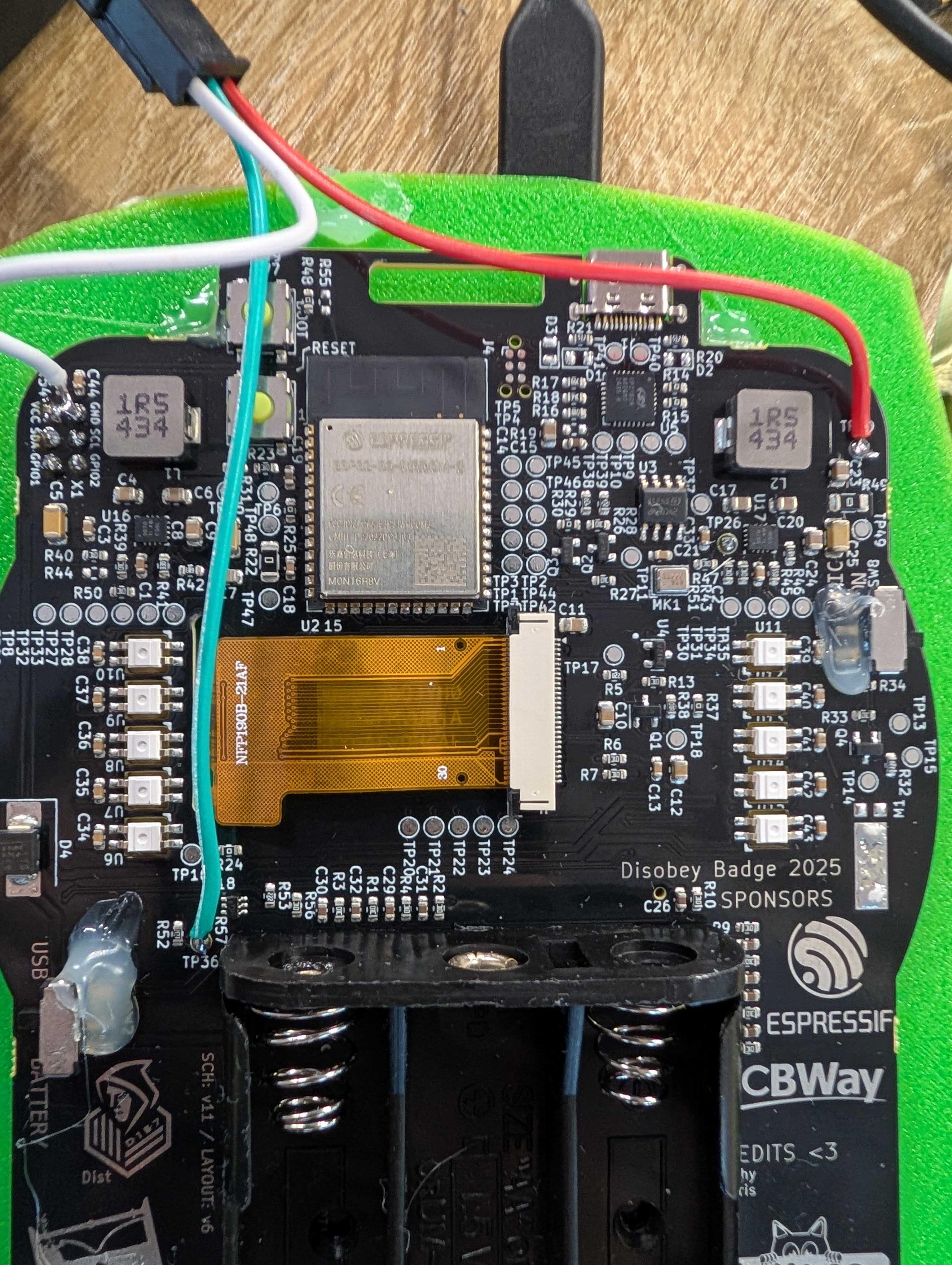
| TP50 | 5V |
| TP36 | DATA |
| SAO GND | Ground |